Showing posts with label SEO information. Show all posts

Tuesday, 7 April 2015

How To Remove Bad Reviews on Google Places (Google Maps)?

1) “Flag as inappropriate”
Below every review on Google+ Local pages, you can click the flag icon:


You can then “Report a policy violation” – i.e. whether it’s hateful, spam, off-topic, etc…

We did this first, but as there wasn’t an option for anything to do with slander in the list, I wasn’t convinced it would do the trick…

2) Respond to the review
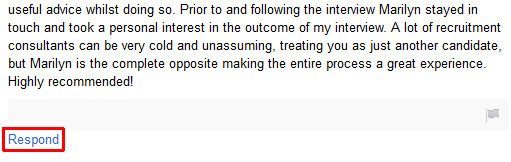
In addition to the flag icon, if you’re the owner of the page, you should also have the option to “Respond” to each review:


Not a ‘removal’ technique per se, but we decided to do this just in case the review wasn’t removed straight away but seen by others in the meantime. We left a short message explaining that we considered the message to be slanderous and that we were taking steps to remove it.
 

3) Report the Google+ user profile
Given that “Charlotte” had a Google+ profile but it contained no info whatsoever (except for that review), my father decided to “Report / block” the user as well. This can be done by navigating to the person’s G+ profile and clicking on the “Report / block [name]” link found below their avatar:


Click to enlarge


4) Report legal action
This was the winner though. After doing all of the above, I investigated a bit more and discovered this post, which brought to my attention something I should’ve spotted in #1 above – this:


Click to enlarge


When you go the “flag as inappropriate” route, there’s a box that says:

If you have located one or more reviews that you believe warrant removal from Google’s services based on applicable laws, please follow the instructions detailed on this page to submit a legal request.

That link lets you “Report other legal removal issue” depending on your country and its laws. You have to give a bit of info (the content and its URL, plus why you think it breaks the law), leave a “digital signature” and tick a box that means you “swear, under penalty of perjury, that the information in this notification is accurate and that [you are] authorised to report this alleged violation.” Pretty serious stuff.

Thinking it might take a week or two, I thought to myself: “we’ve done all that we can…”
 

Success!
 

In less than 24 hours, Google had emailed my father saying that they had removed the offending review!

Wednesday, 24 December 2014

Search Engine Land’s Top 10 News Stories Of 2014: When Pandas, Penguins & Pigeons Attack

We begin two weeks of year-in-review articles with a look at the most popular news stories we covered in 2014.

The clock is ticking on 2014. In a matter of days, we’ll all turn our calendars to 2015 and close the books on another year. Before we do that, the editorial team that brings you daily news and features on Search Engine Land and Marketing Land is going to look back at the most popular content we published during these past 12 months.

If you’re a new or recent reader, you’ll likely find some important news and commentary that you missed the first time around. If you’ve been reading our sites all year, you’ll hopefully enjoy a reminder of the year’s important marketing news. (And thanks for being a long-time reader!)

Over the next week two weeks, we’ll reveal our most popular columns (overall, and broken down by topic) and our most shared stories on the main social networks. But let’s start today with a look back at the most popular news stories we published in 2014.

Search Engine Land’s Most Popular News Stories Of 2014

This list is based on pageviews, and includes news stories published through December 18th.


Barry Schwartz, May 20: “Is this the softer and gentler Panda algorithm? From talking to Google, it sounds like this update will be gentler for some sites, and lay the groundwork for future changes in that direction.
“Google told us that Panda 4.0 affects different languages to different degrees. In English for example, the impact is ~7.5% of queries that are affected to a degree that a regular user might notice.”


Barry Schwartz, May 26: “Google made a slight change to their logo recently, as a Reddit user posted. The “g” in the latter part of the word was moved left one pixel and the “l” in the Google logo was moved down a pixel.”


Eric Enge, August 28: “The primary reason behind this shuffle of products is Google’s unswerving commitment to testing. Every product, and every change or innovation within each product, is constantly tested and evaluated. Anything that the data show as not meeting Google’s goals, not having sufficient user adoption, or not providing significant user value, will get the axe.”


Danny Sullivan, September 25: “The rollout means anyone who was penalized by Panda in the last update has a chance to emerge, if they made the right changes. So if you were hit by Panda, made alterations to your site, you’ll know by the end of next week if those were good enough, if you see an increase in traffic.
“The rollout also means that new sites not previously hit by Panda might get impacted. If you’ve seen a sudden traffic drop from Google this week, or note one in the coming days, then this latest Panda Update is likely to blame.”


Barry Schwartz, October 19: “Publishers hit by the last version of Penguin — back in October 2013 — have been waiting until now to see if actions they’re tried such as removing spammy links have worked. If so, they’re likely seeing some improvement in traffic this weekend. If not, they have to try making more changes and then waiting until however long it takes for Google to release Penguin again.

“By the way, for those who tried disavowing bad links, if you did that within the last three weeks, that was too late for this Penguin update.”


Barry Schwartz, July 24: “Google told us that the new local search algorithm ties deeper into their web search capabilities, including the hundreds of ranking signals they use in web search along with search features such as Knowledge Graph, spelling correction, synonyms and more.

“In addition, Google said that this new algorithm improves their distance and location ranking parameters.”


Danny Sullivan, February 6: “If you had any doubts over how Google feels about Russia’s legislation against gay “propaganda,” just go the Google home page. The company has started what will be a string of special logos for the Olympics with one that includes a quote stressing that the official Olympic Charter is against discrimination and using the colors of the rainbow gay pride flag.”


Danny Sullivan, June 2: “This is a big new integration for Bing, which last year knocked Google out of Siri. Currently, Spotlight offers a “Web Searches” option which launches Safari (if you haven’t changed your default browser), which in turn runs a Google search, as Google is the default on Safari.”


Danny Sullivan, March 26: “More broadly, while it’s easy to dismiss all this as some type of SEO squawking, it should be pretty disturbing to any publisher that Google might fairly broadly decide just how narrow your site has to be, in order to escape a penalty, if you have guest authors it deems writing off-topic.”


Barry Schwartz, May 21: “Yesterday, Google began rolling out their Panda 4.0 update designed to punch low-quality content. That’s generated both “winners” who have moved up in rankings as “losers” have dropped down — and eBay might be one of the big losers.”

With just a couple exceptions, the top 10 articles are specifically about Google rankings, algorithms and search results — which is no surprise. Last year’s list was 100 percent Google-related, and also filled with articles about Google’s various animal-related algorithm updates/filters. If you need a refresher on those beyond the articles linked above, see our article library to get caught up:

We’ve also compiled a similar list on our sister site, Marketing Land: Marketing Land’s Top 10 News Stories Of 2014: Facebook Layout Changes, Oscar Selfies, CIA Tweets & More.

On behalf of the Search Engine Land editorial team, thanks for reading us during 2014. Happy holidays to you and best wishes for 2015!

Source Of: http://searchengineland.com/sel-top-10-news-stories-of-2014-211443

2014 Year In Review: A Look Back On What Happened With SEO

Columnist Erin Everhart provides a round-up of the biggest SEO developments of 2014.
Every year, we say how much has changed in the industry – and every year, we’re right.

It never ceases to  amaze me how much SEO constantly refines itself to more sophisticated Google guidelines and smarter, savvier searchers. Think about it: Since 2011, Moz has counted more than 83 major algorithm updates to the search engine giant.

That’s 83 times we’ve had to change our tactics in three years! Can you think of any other industry that has gone through that much fluctuation? Unlikely.
So, as part of the end-of-year trends, let’s take a look back on everything that went down this in 2014.

January

Expedia was the first big brand of the year to get reportedly hit by a penalty for unnatural link building. Rankings plummeted, and Searchmetrics suggested the company lost 25% of its visibility in Google because of the penalty.

Matt Cutts put the hammer down on guest blogging, urging any SEO using this tactic as a way to build links to cease fire of suffer the consequences.
Rap Genius is finally back on Google after getting doled a manual penalty in late 2013 for link schemes.

Google announced a new Googlebot user-agent for crawling mobile content. “Googlebot-Mobile” was retired in place of the standard Googlebot, causing webmasters to update their robots.txt and technical structure of their site for mobile optimization.

February

In late 2013, Google moved to 100% secure search, thus taking all of our keyword data with it. By February, Not Provided had topped more than 80%.

March

Webmasters started chatting about an update after seeing fluctuations in Google’s search results. Google never confirmed an update, but 
SERPs.com (among many others) noted a heavy increase in Google’s index volatility.
serps-march-1395837881
Google redesigned its SERPs for desktop users, removing underlined hyperlinks, increasing the font size slightly for title tags, and changing how ads are displayed.

April

The Heartbleed bug was revealed. Google, Rackspace, AWS and a host of security software used by millions of websites were affected, causing serious privacy concerns among anyone who uses the Internet.

Vic Gundotra, head of Google+ and Google’s social efforts, announced his departure from Google. Many questioned what this would mean for Google+ and its integration into organic search results. TechCrunch got word from multiple sources that Google+ will no longer be a product, but a platform, thus ending competition with Facebook and Twitter.

May

Panda 4.0 rolled out, the next wave in targeting sites with low quality content. Ask.com and RetailMeNot were among the big brands affected by the change.
eBay is the latest big brand to get hit by a (speculated) manual search engine penalty in addition to the Panda 4.0 update. eBay later suggested that this cost the business $200 million in revenue.

June

Authorship photos in SERPs listings were removed. Many questioned if this was the end to the entire program itself.

Google hosted its main event of the year, I/O 2014, where it announced news about the company and its future vision, including a new, consistent design across Chrome, Android and the web, an updated visual element to search, and wearables. You can read more about all the announcements at Verge.

July

Google added another animal to the algorithm apocalypse, releasing a local search algorithm update dubbed “Pigeon.” This update drastically changed which factors Google looks at when determining local rankings, including stronger ties to traditional web ranking signals.

Matt Cutts announced he was going on leave from Google, planning to return in October, and leaving his web spam duties behind. People panicked but were, on the whole, supportive.

Groupon ran a study showing that 60% of its direct traffic was actually organic search traffic, proving something many SEOs had long thought about their own “direct” traffic. Following that experiment, Conductor updated their 2013 study of web traffic, claiming that now 64% of all web traffic was from organic search.

August

Google announced that it would begin using HTTPS as a ranking signal, encouraging everyone to move from HTTP to HTTPS. This was seen as a sign that Google is trying to take this whole Internet privacy thing seriously.
We all saw this coming: Two months after the removed authorship photos, Google abandoned its Authorship program, which aimed to provide a stronger tie between content writers and content publishers.

The blogosphere was all abuzz over an influx of negative SEO extortion emails in which someone claimed they’d ruin your site’s rankings unless you wired them $XX amount of money.

September

Dentsu Aegis Network, a multinational media and digital communications company, acquired Covario, one of the largest search agencies in the United States. Rio SEO, Covario’s software business, was not a part of the deal.

Searchmetrics released their 2014 SEO Ranking Factors. High quality content, strong page architecture, and user signals saw the biggest increases in affecting ranking, while keyword links and social signals both decreased in value.

October

Authority Labs released one of the most comprehensive organic CTR studies. It segmented out desktop and mobile clicks, branded and non-branded keywords, and search intent (e.g. informational vs. transactional).

Google finally refreshed Penguin, the algorithm filter that targets web spam, over optimization and unnatural links. This was particularly noteworthy because it meant that everyone who was hit by the last Penguin and submitted a reconsideration request could finally get the opportunity to be reinstated into Google’s good graces.

Microsoft laid off Duane Forrester, Bing’s longest-serving face to the SEO community, not to mention the darling of the industry, having just won Search Personality of the Year.

Just a day later, Cutts decided Google web spam hadn’t crumbled in his absence and extended his time off until 2015. Speculations of a pending retirement ensued.

November

Google ditched its Local Carousel for hotels, restaurants, nightlight and entertainment. The SEO industry rejoiced.
Mobile became even more important to SEO as Google rolled out the mobile-friendly search label for mobile search results and a mobile friendly test tool in Google Webmaster Tools. This was the beginning of Google experimenting with a new ranking algorithm for mobile friendly sites.
google-mobile-friendly-label

mobile-friendly-test

December

Bing released its version of Panda, and frankly, did a better job at outlining what it actually considers good content.
3-pillars-of-content-quality-800x110
Stone Temple Consulting released an extensive Twitter engagement study of more than 4 million tweets. One of the big findings was that time of day had little to no impact on “retweetability.”

What a year, right? I know I didn’t get it all, so what did I miss? What else monumental happened in 2015?

Source Of: http://searchengineland.com/2014-year-review-look-back-happened-seo-210959

Best SEO Tips And Tricks For 2015

Search Engine Optimization in 2015 is too complex for beginners so they must need to follow some Best SEO Tips and Tricks that will boost their Website ranking better in modern Search Engines.
So here we are going to see some Basic and Intermediate SEO Tips and Tricks that helps to improve your 3 important website ranking and also in Search Engine Results Page.
Below SEO tips and techniques are provided as per Google Best Practices and this cover most of the onpage factors.
Tips and Techniques for Keyword Analysis
The Below list will help to improve the Keyword Analysis better.
  1. Use this Google Keyword Planner for Keyword research
  2. Find Less Competitive Keywords with high search Volume
  3. Choose Key phrases
  4. List out Relative Keywords by relevance
Google Keyword Planner - Google Keyword Planner is the free SEO tool that is provided by Google and it helps to find out the Keywords search volume and relative Keyword ideas for you. Useful tool compare with other keyword analysis tool because Google is the top Search Engine used by people so it's worth to use this tool. Also use this 8 Free Google SEO Tools that help to Optimize your website
Less Competitive Keyword with high Search Volume - Finding this one is crucial part of SEO because if you find out this Keyword then you can get high search visitors. More competitor's means ranking high is also too much tough. So find out less completive Keywords.
Choose Key Phrases - Rather than selecting a single Keyword it's better chance to ranking more than one keyword if you chosen Key Phrases. So select Key phrases that works better compare to keywords.
List out Relative Keywords by relevance - List the relevant Searches and Keywords and use the words or phrase in the article going to publish in the blog for the selected keyword. This is going to help get ranking in more phrases than you targeted.
Excellent SEO Tips to improve On-Page optimization
Use this free top 10 wordpress SEO Plugins for better on-page seo for Wordpress blogs.
  1. Interesting and Descriptive to read
  2. Quality of the Content
  3. Short and Sweet Title
  4. Relative Meta Description
  5. Use this Optimal Keyword Density Ratio in content
  6. SEO Friendly Url
  7. Keywords in First Paragraph
  8. Use of Headings
  9. Focusing Keywords
  10. Image Optimization
Interesting and Descriptive article - No one is going to like boring long articles so write your content interest to read and descriptive content that will clear all things about the article title.
Quality of the Content - Don't copy Paste whole content from the other website that never going to bring you traffic. Google has very good eye to find out the Duplicate contents. Avoid Keyword stuffing and other Black-hat SEO tricks.
Shot and Sweet Title - Title must be relative and the Key phrase Keywords must be present in the Title. And in length is better to keep it between 40 to 65 Characters. To make website title tag to more search engine friendly read this Tips to optimize the title tag .
Relative Meta Description - Writ a short and sweet 156 Characters that will explain your whole story of the article will help to know better in Search Engines Results Page.
Optimal Keyword Density Ratio - Maintain your Keyword Density in the Safe manner to not getting Google Algorithm Penalties.
SEO Friendly URL - Url of the content must be meaning full to the content. Then search Engine highlight the Url Keywords also it's a boosting signal for the SEO.
Keyword in First Paragraph - Use the Keywords in First Paragraph so search Engines know this is the content really explains about the Title.
Use of Headings - Use prober headings tags h1, h2, etc... It will make readability easier and Nice Chapter wise content.
Focusing Keywords - Highlighting the Keyword with strong or em tag will increase the visibility of the point you are really want to reader by people also it's add some weight in SEO.
Image Optimization - One Image can explain everything better than long story content so add an image and Optimize image using proper Alt Tags.
Tips to improve Off-Page SEO
  1. Use of Social Media
  2. Quality Link Building
Use of Social Media - Use of Social Media not going to build follow back links but it's a powerful source to deliver traffic to the website. Traffic signal is also important factor in SEO so use the social media to get traffic.
Quality Link Building - Don't build your Link too much faster. Quantity of Back links that's not matter Quality will Matter. So write your articles good and interesting then the Back link will flow automatically to your content.
Useful SEO Tricks for 2015
  1. Find LSI Keywords
  2. Use LSI Keywords more
  3. SEO Check Up
Find LSI Keywords - Find the Latent Semantic Indexing Keywords related to your keywords using different methods available in the internet.
Use LSI Keywords more - Rather than Keyword stuffing the new idea use mixes it up LSI Keywords with Keywords as Keyword Stuffing. Use it in all important On-Page SEO Factors.
SEO Check Up - Take SEO Check Up and using different tools available in the Internet and improve the SEO Score by fixing by the tips then you can get a better rank in SERP.
Add a Bookmark of this Page above Tricks will be updated in regular manner to maintain the Quality of the Article.
Necessaries of SEO Tips and Tricks in 2015
Competitive world everything will have some Guidelines and rules that must we need to follow. So we need to follow this techniques to survive our ranking in search Engines.
Always one thing we need to remember in SEO that is if we write Unique and Good Articles that is interest to read for a user not for search engines this is the one rule always survives you in SERP.
Hope this SEO Tips and Tricks will helps to boost your rank in Google in 2015.
Source Of: http://googlexpres.blogspot.in/2014/12/seo-tips-and-tricks-for-2015-googlexpres.html

Tuesday, 23 December 2014

5 SEO Tactics To Kick-Start The New Year

How can you give your business a leg up in 2015? Columnist Casie Gillette suggests some simple tactics you can apply as the year is winding down.
If you’re like most people, you’ve probably already checked out for the year. Clients are out of the office, you’re on vacation, and 2015 contracts have already been signed. There’s nothing left to do but close that computer, put on your slippers, throw a log on the fire, and hibernate until January 2nd.

Or…keep that laptop open, give your site a good scrub, and get a jump-start on your competition going into next year!

After all, they key to a solid SEO strategy is continuous improvement. As Stoney deGeyter pointed out in a recent article, “you don’t always get your SEO perfect the first time out.” We have to use our learnings and data to adjust our strategies and make the site better.

So, as we head into the New Year and everyone else is busy resting, give your business a leg up by revisiting, revising, and readying your site for 2015.

1. Give The Site A Technical Once Over

When you started your SEO program, you probably got a killer technical audit. You knew the details of every page. You knew where all the errors and redirects were coming from, where all the broken images were, where your site was lagging, and much, much more. And you fixed it.

But what has been done to the site since?

Pages have likely been added or removed, tags modified, images removed. Perhaps URLs changed, the site was redesigned, new sections were added, etc. 

Do you know where the site stands at this exact moment?

Make sure the site is technically sound going into the New Year by taking these steps:

Use Screaming Frog

Run a Screaming Frog report to identify any existing errors, redirects, duplicate URLs, and/or canonical errors.
Screaming Frog

You can also make sure you have the correct Google Analytics code on every page. How? Check out this great post from SEER Interactive.
Once you have all your information gathered, you can begin fixing any and all issues.

Check Webmaster Tools

Webmaster Tools is another good place to identify any errors occurring on the site. Aside from the standard 404 errors you might see, you can also check for robots issues, server issues, and sitemap errors.
If you’ve implemented Schema markup or Hreflang tags, Webmaster Tools will also provide information on both of those, showcasing any errors that may be occurring within those tags.

Update Google Analytics Goals

While it (thankfully) doesn’t happen too often, I’ve certainly seen cases in which goal URLs are changed or new forms are added and the proper tracking is not put into place.

One of the nice things Google Analytics (GA) now does is provide information on goal tracking. It will alert you if there are any drastic changes to your goal numbers or if it sees any irregularities within your account.
Google Analytics Conversion Errors

Make sure to take a look at your GA goals to ensure the URLs are correct, are tracking properly, and you aren’t missing any important information.
As I noted above, use Screaming Frog to ensure GA tracking code is on all pages.

2. Identify A Few Quick Wins

As the year progresses and we focus on our campaigns, it’s easy to get caught up in the big picture and overlook some of the small stuff.

Revisit The Basics

The basics — like title tags, meta descriptions, and ALT text — may not be high up on your list of strategies, but you shouldn’t forget them.
Using your Screaming Frog report, Export the HTML list and take a fresh look at your tagging. Make sure there are no missing titles or descriptions and no duplicate tags, and ensure that your brand is contained in all titles.

You can also export the list of missing ALT tags to identify opportunities for image tagging.

While these things may seem insignificant in themselves, they can go a long way in helping with that big picture we discussed above.

Repurpose Content

One of my favorite things to do at the end of each year is to sit down and evaluate the content from the past 12 months. How did it perform? Which content did the best? How can we use this information going forward?

Another avenue to this is, “What can we repurpose?”

Companies spend thousands and thousands of dollars creating content, only for it be posted and never thought of again. It’s really quite sad.

Erin Everhart wrote a post earlier this year, “How To Repurpose Content Without Looking Like A Total Jerk,” that showed how to repurpose both blog content and social updates. I also wrote a post on how to turn old content into new links, which breaks down both the content audit portion and the link building portion.

If you’re interested in repurposing some of that wonderful content you created this year, give them both a read. It’ll give you some easy and valuable content ideas heading into next year.

3. Scope Out Editorial Opportunities

As publications get ready to kick off the year, their editorial calendars are updated and they are already starting to generate their stories. Get a jump on the year by identifying any opportunities for your business or clients.
DMNews Editorial Calendar
As I outlined in a past article, editorial calendars are pretty common and can be found through simple site searches, Google searches, or by using a tool like EdCals.

If you’ve found an editorial calendar that isn’t updated or is only partially updated, start tracking it with TrackedContent or ChangeDetection.
Change Detection
Both of these tools will alert you when the content on a selected page is changed, giving you the jump on fresh press opportunities.

 4. Clean Up Your Business Listings 

Did your office move this year? Did you lose or gain any team members? Were there any significant changes that happened within the business? If the answer to any of these questions is “yes,” it’s important that your online presence reflects those changes.

The first place to start is your contact info. I can’t tell you how many people call the KoMarketing office thinking we are at our address from 9 years ago. Where are they getting that information?!?

As it turns out, tools like Moz Local will actually give me that answer:
Moz Local
See where incomplete, inconsistent, and duplicate listings reside. It even includes your social networks like G+, Facebook, and LinkedIn. Bonus: If you need to update your site, Moz Local will adjust the listings for you, ensuring a consistent presence across the web.

Don’t forget about places like Wikipedia or Crunchbase, where consistently changing information like revenue, employees, and stock prices resides.
We can’t control everything on the web that’s said about us, but we can at least try to control our business information.

5. Perform A Quick Competitive Analysis 

Last but not least, we can’t get a leg up on our competitors without actually looking at them!

While you probably don’t need to go “full-fledged stalker” in your competitive analysis, giving your existing analysis a quick refresh could certainly be beneficial.

Revisit Links 

Using Majestic, Open Site Explorer, Ahrefs, or your other favorite link-checking tool, scan competitor sites to see what new links they’ve acquired recently.
Look at what press mentions they’ve received over the past few months, and identify any potential blogs that also fit your business. Also, take a look to see what their top linked content is.

If you’ve performed a competitive analysis in the past, you likely already have a pretty good idea of what their link building strategy (if any) is, but you may find a few new media targets or influencers to add to your list.

Validate Content Ideas

I’m not a huge fan of looking at a competitor’s site and just stealing their content ideas. I am, however, a huge fan of looking at a competitor’s site, evaluating how their content is performing, and using that data to inform my own content strategy.

With budgets being one of the biggest hurdles to content marketing, understanding where to put those dollars is invaluable.

Use the link data mentioned above to find the top linked pages, or plug your competitor’s site into BuzzSumo to see what their most shared content is. Both of these can provide you with insights into what your audience likes and wants, helping you figure out where you may want to spend your dollars next year.

Identify Strategic Changes 

One of the biggest benefits to a competitive analysis refresh is you get a look inside their strategy going into the next year and a better understanding of where they see the future of the business.

Do they have any “coming soon” or new product pages? Did they rename a product or any part of their company?

These types of things can indicate a fundamental shift in how a competitor views the industry, the market, and their product/service. While this is not something you are necessarily going to use in your own strategy, it can help show you some new places to look.

For example, if a competitor is suddenly calling out HR professionals, that may be an audience you want to look at if you haven’t already. If they are using new terminology to describe the industry or their products, you may want to take a look to see if this impacts you. Check Google Trends and search volume data for any additional information.

Knowing what your competitors are doing can help you better understand the landscape, the target market, and inform your own online marketing strategy.
So before you leave the office or throw on those PJs, think about doing these five small things to help give your business a leg up in 2015. Happy holidays!

Source Of: http://searchengineland.com/5-seo-tactics-kick-start-new-year-211198

Monday, 22 December 2014

Google Pigeon Update Rolls Out To UK, Canada & Australia

Google's new local ranking algorithm that launched in the US earlier this year has rolled out to the UK, Canada and Australia.
Google has confirmed that their local Pigeon update, which rolled out in the U.S. on July 24, 2014 has now expanded over last week to the United Kingdom, Canada and Australia. 

After questioning Google about rumors of this change, a Google spokesperson told us, ” I can confirm that this update has rolled out to the UK, Canada and Australia.”

BrightLocal first spotted the changes and asked if Google did roll out the Pigeon update beyond the US. They were indeed right. 

The original Pigeon update aimed at providing a more useful, relevant and accurate local search results that are tied more closely to traditional web search ranking signals. 

This rollout happened late last week, and may indeed impact local shopping traffic for many merchants in the UK, Canada or Australia. Which again is surprising to us that they have not held this update until after the holiday shopping season. 


Postscript: Google added today (same day as this story published) that they are still rolling this out and it now goes beyond just the UK, Canada and Australia. This update is being rolled out to all English-speaking locales except India.


Learn to Effectively Integrate Marketing Technology At MarTech: The Marketing Tech Conference, we'll connect the dots between technical possibilities and strategic opportunities reshaping of modern marketing. Making those connections will be a roster of innovative thinkers and doers ­ industry-defining executives and analysts who will help you understand marketing technology and its impact on your organization. See the agenda!

Source Of: http://searchengineland.com/google-pigeon-update-rolls-uk-canada-australia-211576

Google Maps, Yelp & Local SEO In 2015

When it comes to digital marketing, we tend to focus heavily on our websites. But columnist Rachel Lindteigen reminds us that optimizing external web properties is crucial.
When it comes to digital marketing and SEO for your business, it’s important to look beyond just your website. For local businesses, a strong online marketing effort requires an investment in local directories, maps and review sites, too.
If all of your optimization efforts are spent on your site, you’re likely missing out on opportunities.

Google’s Pigeon algorithm update, released in July 2014, gave more prominence to local map and directory sites such as Yelp. In many instances, Yelp listings now rank above the business’ website.

For example, when you search on the query [bakery phoenix], you have to scroll past three map listings and three organic listings before you finally see a local business website listing. That first local business website is in position 7, essentially.
Bakery Phoenix SERP Listing
How many potential customers are going to scroll all the way down to the bottom of the page to find your actual website? Nowhere near as many as are likely going to click on the map or directory listings that are more prominently positioned at the top of the search results page.

Thus, it’s important to make sure you’re watching these listings on a regular basis and optimizing your presence in the map and directory sites.
Step 1. Set Up Your Google My Business Account
The most important thing is to make sure you’re listed and your information is correct. You can do this for Google maps via Google My Business. Google My Business provides an easy way for a business owner to create a listing or claim an existing one, allowing them to ensure that their information is accurate and complete. Best of all, it’s free.

If you were signed up and verified through Google Places or Google + Pages, you should automatically be moved over to Google My Business.

Step 2. Get Started With Yelp

Claim your business listing on Yelp. Once you’ve claimed your business, you can update information, respond to reviews, upload photos and more. Yelp is the most popular consumer review site, and as such, it’s important to ensure your information is present (and accurate) on their site.

Step 3. Optimize Your Listings

Once you’ve claimed your listings and verified that your contact information is correct, it’s time to optimize your business information. You can add photos, hours of operation, contact information, your URL, and other information to make your listing more robust (allowing it to stand out from the crowd). You can also create deals, respond to reviews and more.

Step 4. Gather Reviews

Gather great reviews on your listings. I know, that’s easier said than done; this is one of the more critical and more difficult tasks to coordinate.

There are a few methods you can use to generate reviews. Some will advise you to “just ask for them,” but honestly, that’s not very organic. Yes, you can ask people to write reviews or offer an incentive to someone who reviews your business; however, you should be cautious with that type approach, as many review sites (including Yelp) discourage review solicitation.

As with everything else, Google wants to provide the best information to their customers (searchers), and that means it wants honest, reliable information. If you offer great products, provide great service, and take care of your customers, they’re going to be inclined to review you on these sites whether you ask them to do it or not.

Step 5. Engage With Customers Online

Respond to reviews. It’s likely you will have a mix of both good and bad reviews on Google Maps and Yelp. That’s normal.

Unfortunately, customers are often more inclined to leave negative feedback than positive – that’s why it’s critical that you respond.

There will of course be some customers that can’t be satisfied, and in certain instances you may feel that you were in the right and they were in the wrong. However, if you have multiple negative reviews that all talk about similar issues, that might warrant double-checking the situation to see if maybe what they’re saying is true.

In any case, respond, acknowledge their concerns and try to make them right where you can. It’s not necessary to air the entire concern publically; rather, respond and provide an email address or phone number where they can contact you further to work to resolve the situation.

Final Thoughts

By now, you understand the importance of working with local maps and directories such as Google Maps and Yelp. In today’s post-Pigeon world, this type of site will often rank above your own website – as such, you must be present there.

Managing your business on these sites needs to be part of your ongoing SEO strategy — in other words, it is not a one-time task. This “set it and forget it” mentality could leave you with outdated information, negative reviews that are unanswered, and other issues.

It’s likely that more customers will be exposed to your business through these sites than your actual website, at least initially. By including these sites in your overall strategy, you will be able to build your customer base and, hopefully, grow your business.

Source Of: http://searchengineland.com/google-maps-yelp-local-seo-2015-210846


Copyright @ 2013 SEO Professional.

Real Time Analytics